
BigQuery/GCS Integration Guide
Last updated Sep 25th, 2026
Overview
Common Room supports importing data from Google BigQuery on a recurring schedule, keeping your Common Room data in sync with your warehouse. There are two ways to set this up:
- Direct BigQuery integration (recommended) — Common Room connects directly to your BigQuery table and reads from it on a schedule. This is the simplest option for most customers.
- BigQuery via GCS — You export data from BigQuery into a Google Cloud Storage bucket, and Common Room imports from that bucket. This is suitable if you already stage warehouse exports in GCS or need full control over the data's lifecycle.
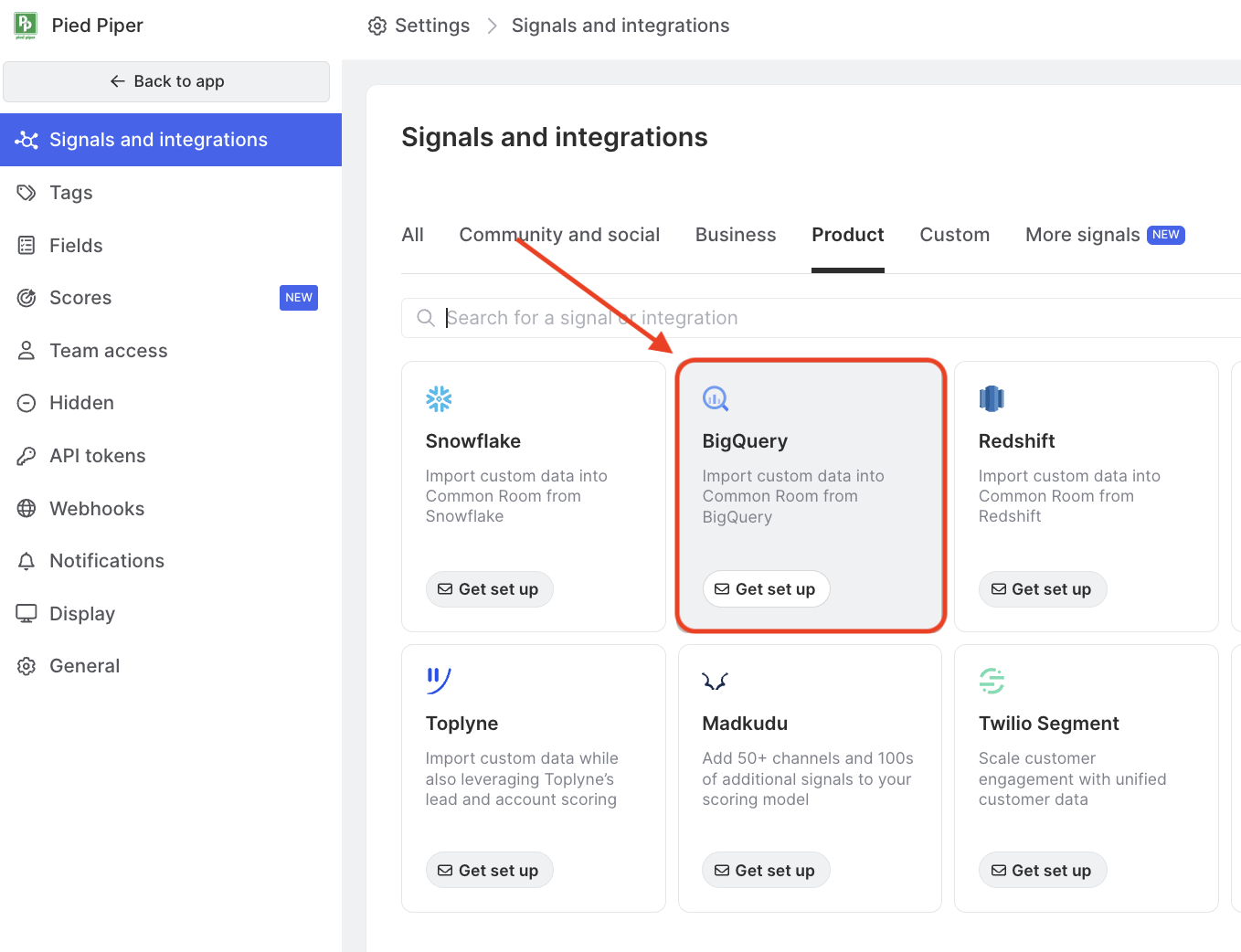
Both methods run as recurring imports and are set up together with your Common Room contact — neither is self-serve from the Signals and integrations page.
Availability
The BigQuery integration is included on the Enterprise plan, and is available as an add-on for Team plans. Please work with your Customer Success Manager for more information.
Direct BigQuery integration (recommended)
With the direct integration, Common Room reads from a single BigQuery table on a recurring schedule. Each connection imports one table into one of three entity types:
- Members — people/contacts in Common Room
- Groups — company/organization attributes
- Custom objects — custom records for flexible data modeling
You can set up multiple connections in a single workspace — for example, one table mapped to members and another mapped to groups, or tables across different GCP projects. Each connection is independent, with its own credentials, table reference, and field mappings.
Prerequisites
Before we enable the integration, you'll need:
- A Google Cloud Platform project with BigQuery enabled.
- A service account with read access to the target table — specifically the BigQuery Data Viewer and BigQuery Job User roles.
- A service account JSON key for that service account. We'll provide a secure, one-time link to share it — please don't send the key over email.
- The table details: Project ID, Dataset ID, and Table ID.
Setup
- [Customer] Create a service account in your GCP project and grant it the BigQuery Data Viewer and BigQuery Job User roles on the target table.
- [Customer] Generate a JSON key for the service account and share it with us via the secure link we provide, along with your Project ID, Dataset ID, and Table ID.
- [Common Room] Validate that data can be read from the table.
- [Common Room + Customer] Configure how your BigQuery columns map to Common Room fields, then enable the recurring import.
Contact us if you'd like to set this up or have any questions.
How imports work
- Frequency: Imports run once every 24 hours by default. This can be customized per connection.
- Direction: Read-only. Data flows one way, BigQuery → Common Room. Nothing is written back to your warehouse.
- Disconnecting: If a connection is removed, recurring imports stop and the stored credentials are deleted. Data already imported into Common Room remains.
BigQuery via GCS
Importing via GCS may suit you if you're already exporting warehouse data to Cloud Storage, or want full control over the lifecycle of the data Common Room reads. When setting this up, we recommend creating a new GCS bucket with appropriate permissions so you retain that control.
Setup
- [Customer] Create your GCS bucket.
- [Customer] Share the bucket with the Common Room GCP service account (shown in the Pulumi snippet below) with roles/storage.objectCreator permissions.
- [Common Room] Validate that data can be read from the bucket using test data.
- [Common Room + Customer] Set up the recurring imports by following our general configuration instructions.
To make bucket setup as easy as possible, here is a sample Pulumi snippet you can use:
import * as pulumi from "@pulumi/pulumi";
import * as gcp from "@pulumi/gcp";

const COMMON_ROOM_GCS_SERVICE_ACCOUNT_EMAIL =
  "common-room-gcs-access@common-room-production.iam.gserviceaccount.com";

const READ_DATA_PREFIX: string | undefined = "READ_PREFIX"; // can be undefined if no data imports are configured

// Create a GCS bucket, choose your own bucket name
const bucket = new gcp.storage.Bucket("common-room-shared-bucket", {
  location: "US",
});

if (READ_DATA_PREFIX != null) {
  // Allows Common Room to read from the prefix
  new gcp.storage.BucketIAMMember(`common-room-access-read-${READ_DATA_PREFIX}`, {
    bucket: bucket.name,
    role: "roles/storage.objectViewer",
    member: `serviceAccount:${COMMON_ROOM_GCS_SERVICE_ACCOUNT_EMAIL}`,
    condition: {
      title: "ReadPrefixReadAccess",
      expression: `resource.name.startsWith("projects/_/buckets/${bucket.name}/objects/${READ_DATA_PREFIX}/")`,
    },
  });

  // Allows Common Room to write to the prefix
  new gcp.storage.BucketIAMMember(`common-room-access-write-${READ_DATA_PREFIX}`, {
    bucket: bucket.name,
    role: "roles/storage.objectCreator",
    member: `serviceAccount:${COMMON_ROOM_GCS_SERVICE_ACCOUNT_EMAIL}`,
    condition: {
      title: "ReadPrefixWriteAccess",
      expression: `resource.name.startsWith("projects/_/buckets/${bucket.name}/objects/${READ_DATA_PREFIX}/")`,
    },
  });
}

export const bucketName = bucket.name;
export const serviceAccountEmail = COMMON_ROOM_GCS_SERVICE_ACCOUNT_EMAIL;
Contact us if you're interested in exploring this option and have any questions.
FAQ
Which should I use — direct or GCS?
The direct integration is the simplest path and is recommended for most customers. Choose GCS if you already stage warehouse exports in Cloud Storage or want full control over the lifecycle of the data Common Room reads.
Can I import from multiple BigQuery tables?
Yes. With the direct integration, each table is a separate connection, and there's no limit to the number of connections per workspace.
How often does data sync?
By default, imports run every 24 hours. The frequency can be customized per connection.
What happens if my table structure changes?
If columns are renamed or removed, the field mappings will need to be updated. Reach out to your Common Room contact and we'll adjust them.
Does disconnecting remove previously imported data?
No. Data already imported into Common Room remains. Only future imports stop.
BigQuery → GCS export breaks files up if they are larger than 1GB. Can Common Room handle multiple files for a given object?
Yes. Our import handles multiple files as long as they're grouped under the same dated path.